Switch Kit › Guides › Switching to CADCraft
Switch Kit guide 14 · 15-page PDF
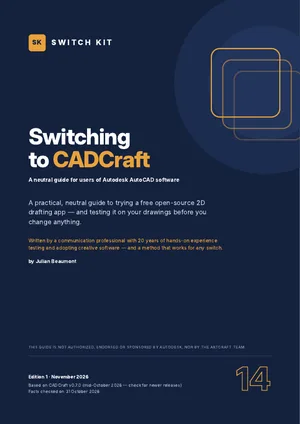
A free alternative to AutoCAD: switching to CADCraft
CADCraft is a free, open-source 2D drafting app from the ArtCraft team, designed to feel familiar to people who use Autodesk AutoCAD software. This page sums up what you should know before switching; the guide takes you through a safe test with your own files.
Short answer
CADCraft is a free, open-source 2D drafting app with a command line, snaps, layers, dimensions, blocks, layouts and constraints. It reads DWG and DXF up to 2018 and writes them in the 2000 format. Entities it does not model are not kept on save, so always keep originals (early development).
AutoCAD vs CADCraft at a glance
| AutoCAD | CADCraft | |
|---|---|---|
| Price | AutoCAD LT about US$540/year; AutoCAD about US$2,095/year (US) | Free |
| Platforms | Windows, macOS | Windows, macOS, Linux |
| DWG | Native, current versions | Reads R13–2018; writes R2000 |
| 3D and verticals | Yes | 2D only |
| Fonts | SHX and TrueType | SHX not read |
| Maturity | Industry standard | Early development |
Prices are US or Spanish list prices checked on 31 October 2026 and vary by country. Maturity figures for ArtCraft apps are the developers' own estimates.
What to know before you switch
- Command line, object snaps, polar tracking, grips, layers, dimensions, hatches, blocks, layouts, viewports.
- Reads DWG R13 to 2018 and DXF R12 to 2018; writes DWG and DXF R2000.
- Unsupported entities are not kept when saving; SHX fonts are not read.
- Autodesk: monthly plans refundable within 15 days, yearly within 30; auto-renew can be turned off before renewal.
- AutoCAD LT lists at about US$540 a year in the US (check your country).
Facts checked on 31 October 2026. Prices and versions change; check the official sites.
Is it right for you?
A good fit if…
- You draw simple 2D plans occasionally.
- You open DWG files from others to view or mark up.
- You want a free drafting tool to learn.
Better to wait if…
- You deliver DWG files to clients or authorities.
- You rely on 3D, LISP or vertical toolsets.
How to switch from AutoCAD to CADCraft in five steps
- Check the fitRead what is ready and what is missing, and decide whether CADCraft suits your work today.
- Install from the official sourceDownload CADCraft only from the official site and verify the checksum. Keep AutoCAD installed for now.
- Run a five-file testOpen five real files from your own work, edit and export them, and note what changes.
- Use both for two weeksDo new, low-risk work in CADCraft while keeping AutoCAD for anything urgent.
- Time your subscriptionIf you decide to leave, cancel at the cheapest moment and download everything first.
The guide expands each step with checklists, a test sheet and a two-week plan.
Other free options worth knowing
This guide focuses on one alternative, but it is not the only one. These well-known options may suit you better depending on your work.
LibreCAD
Free, open-source 2D CAD with DXF support.
QCAD
Open-source 2D CAD; a paid Pro edition adds DWG.
FreeCAD
Free, open-source parametric 3D modeller with 2D drafting.
Inside the guide
The two tools at a glance · a self-assessment (good fit or better to wait) · what feels familiar and what is still in progress · a five-file compatibility test · plug-ins, AI and workflow notes · timing your exit from your subscription without surprise fees · protecting your work before you leave · safe installation · a gentle two-week migration plan · a printable checklist.
Printable A4 PDF in English · instant download · checklists you can tick · written by Julian Beaumont, 20 years of hands-on experience with creative and digital tools.
€7PDF, VAT included
Get the guide · €7Frequently asked questions
Is there a free alternative to AutoCAD?
Yes. CADCraft is a new open-source 2D option; the guide tests it on your own drawings.
Can CADCraft open DWG files?
Yes, DWG R13 to 2018. It saves in the 2000 format, and unsupported entities are lost on save.
Can I get a refund from Autodesk?
Monthly plans within 15 days and yearly plans within 30 days, according to Autodesk's terms.
Does CADCraft work on Mac and Linux?
Yes. CADCraft has builds for Windows, macOS and Linux, from getartcraft.com or the project's GitHub.
Is CADCraft safe to download?
Download it only from the official sources. Each release ships with SHA-256 checksums so you can verify the file; look-alike download sites exist.
Can I keep AutoCAD while I test CADCraft?
Yes, and the guide recommends it. Both can be installed side by side, so you test with real files before changing anything.