Switch Kit › Adobe alternatives › Switching to Affinity
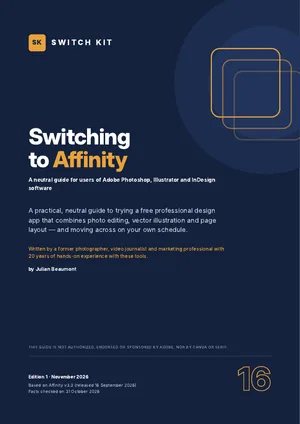
Switch Kit guide 16 · 15-page PDF
Affinity is free: how to switch from Photoshop, Illustrator and InDesign
Since October 2025, Affinity combines photo editing, vector illustration and page layout in one free app, made by Serif and owned by Canva. This page sums up what to know; the guide helps you move across on your own schedule.
Short answer
Affinity 3 is a free, mature design app for Windows and macOS covering photo editing, vector work and page layout. You sign in once with a free Canva account, then it works offline. It opens PSD, PDF-compatible AI and InDesign files. Canva's AI features need a paid Canva plan.
Creative Cloud apps vs Affinity at a glance
| Creative Cloud apps | Affinity | |
|---|---|---|
| Price | US$22.99/month per app, or a Creative Cloud plan | Free (Canva AI features need a paid Canva plan) |
| Apps | Photoshop, Illustrator, InDesign separately | One app: photo, vector and layout |
| Platforms | Windows, macOS | Windows (incl. Arm), macOS; no Linux |
| Adobe files | Native | Opens PSD, PDF-compatible AI, InDesign files |
| Account | Adobe account and subscription | Free Canva account at first launch |
| Maturity | Industry standard | Mature (version 3.3, September 2026) |
Prices are US or Spanish list prices checked on 31 October 2026 and vary by country. Maturity figures for ArtCraft apps are the developers' own estimates.
What to know before you switch
- Free since October 2025; version 3.3 released on 16 September 2026.
- One app for pixels, vectors and layout; Windows (including Arm) and macOS. No Linux.
- A free Canva account is needed to sign in once; then it works offline.
- Opens PSD, PDF-compatible AI files and InDesign files; test your own first.
- Generative AI features require a paid Canva subscription; install only from the official site.
Facts checked on 31 October 2026. Prices and versions change; check the official sites.
Is it right for you?
A good fit if…
- You edit photos, design graphics and lay out documents.
- You want one app instead of three subscriptions.
- You deliver PDF, PNG, JPEG, SVG or print files.
Better to wait if…
- You exchange native Adobe files with clients daily.
- You rely on smart filters, Adobe Fonts or CC Libraries.
- You work on Linux.
How to switch from Adobe apps to Affinity in five steps
- Check the fitSee which of your Photoshop, Illustrator and InDesign tasks Affinity covers today.
- Install from the official siteDownload Affinity from its official website, reached from Canva's site, and sign in once with a free Canva account.
- Run a five-file testOpen five real PSD, AI or InDesign files, edit and export them, and note what changes.
- Use both for two weeksDo new, low-risk work in Affinity while keeping your Adobe apps for anything urgent.
- Time your subscriptionIf you decide to leave Creative Cloud, cancel at the cheapest moment and download everything first.
The guide expands each step with checklists and a dated plan.
Other free options worth knowing
This guide focuses on one alternative, but it is not the only one. These well-known options may suit you better depending on your work. See the full comparison of free Adobe alternatives.
PhotoCraft, VectorCraft, DesignCraft
Free, open-source ArtCraft apps modelled on each Adobe app (early development).
GIMP, Inkscape, Scribus
Long-established free, open-source apps for photo, vector and layout.
Inside the guide
The tools at a glance · a self-assessment (good fit or better to wait) · what feels familiar and what is different · how PSD, AI and InDesign files come across, with a five-file test · Canva account, AI and privacy · timing your exit from your Adobe subscription without surprise fees · protecting your work before you leave · safe installation · a two-week migration plan · a printable checklist.
Printable A4 PDF in English · instant download · checklists you can tick · written by Julian Beaumont, 20 years of hands-on experience with creative and digital tools.
€7PDF, VAT included
Get the guide · €7Frequently asked questions
Is Affinity really free?
Yes. The design tools are free; only Canva's AI features need a paid Canva plan.
Can Affinity open Photoshop and InDesign files?
It opens PSD and InDesign files and PDF-compatible AI files. Complex files may need adjustments, so test first.
Do I need a Canva account to use Affinity?
Yes, a free account to sign in at first launch. After that it works offline.
Does Affinity work on Linux?
No. Affinity runs on Windows (including Arm) and macOS; the older iPad apps are also free.
Can I open Illustrator files in Affinity?
Yes, PDF-compatible .ai files open. Keep originals and test complex files.
Where should I download Affinity?
From the official Affinity website, reached from Canva's own site. Avoid 'free download' portals: the real app is already free.
Next steps
Leaving a Creative Cloud plan? Read how to cancel Adobe Creative Cloud without a surprise fee.
New to ArtCraft? Start with the free overview of all thirteen apps.