Switch Kit › Guides › A second life for your PC
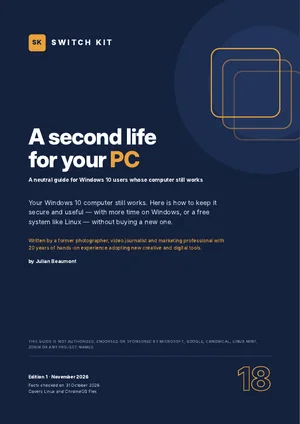
Switch Kit guide 18 · 24-page PDF
Windows 10 end of support: keep your PC secure without buying a new one
Windows 10 reached end of support on 14 October 2025, but your computer did not stop working. This guide sets out every option calmly so you can choose for yourself.
Short answer
You have time. Enrol in Windows 10 Extended Security Updates (free in several ways, enrolment open until 12 October 2027), check whether your PC can run Windows 11, and test Linux from a USB stick without changing anything. Linux Mint and Zorin OS feel close to Windows and are free.
What to know before you switch
- Windows 10 support ended on 14 October 2025; security updates continue only through ESU.
- ESU enrolment is open until 12 October 2027: free with Windows Backup sync, 1,000 Microsoft Rewards points or, in the EEA, by signing in; otherwise US$30.
- Windows 11 needs TPM 2.0, Secure Boot and a supported processor.
- Linux Mint 22.3 and Zorin OS 18.1 are free and supported until 2029.
- The End of 10 campaign (endof10.org) lists more than 1,180 places offering help.
Facts checked on 31 October 2026. Prices and versions change; check the official sites.
Is it right for you?
A good fit if…
- Your Windows 10 PC still works well.
- You don't want to buy a new computer yet.
- You mostly browse, write, email and watch videos.
Better to wait if…
- You depend on Windows-only professional software.
- You need a fully managed work device.
How to give your PC a second life in five steps
- Enrol in ESUStay protected on Windows 10 until October 2027 while you decide.
- Check Windows 11Run PC Health Check to see whether your PC qualifies.
- Back up everythingCopy your files to an external disk or cloud before any change.
- Try Linux from a USB stickNothing changes on your computer until you choose to install.
- Choose and installKeep Windows, switch to Linux, or keep both side by side.
The guide expands each step with checklists and a dated plan.
Inside the guide
What end of support really means and the extended-updates option · your five options · can your PC run Windows 11? · is Linux for you? · what changes and what stays · choosing a Linux version · very old computers · backing up first · making a USB stick · trying Linux without installing · replacing or keeping Windows · your first day · giving an old PC more speed · getting help near you · costs compared · a two-week plan · a glossary · a printable checklist.
Printable A4 PDF in English · instant download · checklists you can tick · written by Julian Beaumont, 20 years of hands-on experience with creative and digital tools.
€9PDF, VAT included
Get the guide · €9Frequently asked questions
What should I do now that Windows 10 support has ended?
Enrol in Extended Security Updates to stay protected until October 2027, then test Windows 11 or Linux at your own pace.
Is Windows 10 ESU free?
It can be: with Windows Backup sync, Microsoft Rewards points, or by signing in with a Microsoft account in the European Economic Area. Otherwise it costs US$30.
Can my old PC run Linux?
Most can. Linux Mint needs 2 GB of memory (4 GB recommended) and 20 GB of disk. Try it from a USB stick first.
Do I need a new PC for Windows 11?
Only if your PC fails the requirements (TPM 2.0, Secure Boot, supported processor). Microsoft's PC Health Check app tells you.
Will Linux run my programs?
Most everyday tasks have free Linux apps; browsers, email and online office work the same. Some Windows-only software will not run.
Where can I get help installing Linux?
The End of 10 campaign (endof10.org) lists repair cafés and events, many of them in Europe.