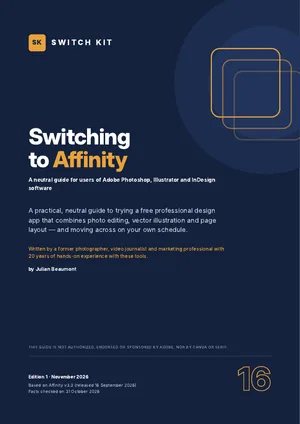
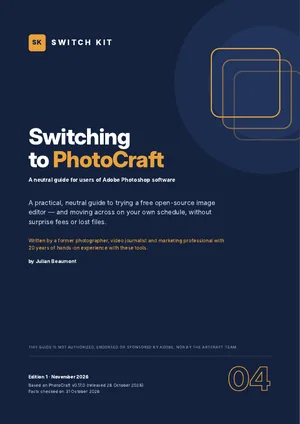
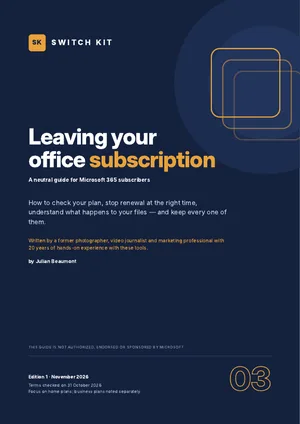
Switch Kit › Adobe alternatives › Leaving a creative-software subscription
Switch Kit guide 02 · 14-page PDF
How to cancel Adobe Creative Cloud calmly, without a surprise fee
Leaving a Creative Cloud plan is mostly a question of timing. The fee, if any, depends on which of the three plan types you have and when you cancel. This guide does not tell you whether to leave; it helps you read your own contract.

Short answer
Check your plan type first. Within 14 days of your first order you get a full refund. On an annual plan paid monthly, cancelling mid-term usually costs 50% of the remaining payments. Month-to-month plans have no fee. The cheapest moment to leave an annual plan is just before it renews.
What to know before you switch
- Three plan types: annual paid monthly, annual prepaid and month-to-month.
- Full refund if you cancel within 14 days of your initial order.
- Annual plan paid monthly: an early termination fee of 50% of the remaining amount.
- After cancelling, cloud storage drops to 2 GB and files above that can be removed after a grace period; generative credits expire.
- In March 2026 Adobe settled with the US Department of Justice and must now disclose the fee clearly and make cancelling easy.
Facts checked on 31 October 2026. Prices and versions change; check the official sites.
Is it right for you?
A good fit if…
- You pay for Creative Cloud but use it less than before.
- You want to switch plans or apps without paying twice.
- You want a checklist to save files, fonts and presets.
Better to wait if…
- Your employer or school manages your licence (ask your admin).
- You bought through a reseller (their terms apply).
How to leave Creative Cloud in five steps
- Identify your planFind your plan type and start date in your Adobe account; it decides any fee.
- Find the cheapest momentWithin 14 days of the first order, or just before an annual plan renews.
- Save everythingDownload cloud files, export Libraries, list your fonts and presets.
- Prepare what comes nextTest an alternative with your own files before you cancel.
- Cancel and confirmCancel in your account, keep the confirmation and check your next statement.
The guide expands each step with checklists and a dated plan.
Inside the guide
The three plan types and how to tell which one you have · the rules plan by plan · a quick-reference table to estimate any early-termination fee · a calm-exit calendar · how to rescue cloud files, fonts, presets and credits · cancelling step by step · your rights and special cases · options for what to use next · a printable exit checklist.
Printable A4 PDF in English · instant download · checklists you can tick · written by Julian Beaumont, 20 years of hands-on experience with creative and digital tools.
€9PDF, VAT included
Get the guide · €9Frequently asked questions
Is there a fee to cancel Adobe Creative Cloud?
It depends on the plan. Month-to-month plans have no fee. An annual plan paid monthly cancelled after 14 days usually costs 50% of the remaining payments.
When is the best time to cancel?
Within 14 days of your first order, or just before an annual plan renews. The guide includes a calendar to find your date.
What happens to my files after I cancel?
Storage falls back to the free 2 GB. Download your cloud files, libraries, fonts list and presets before you cancel.
Can I switch to a monthly plan instead of cancelling?
Changing plan type can trigger the same fee rules; check the terms for your plan and country before you switch.
What happens to my fonts and Libraries?
Adobe Fonts stop working and Creative Cloud Libraries become inaccessible. Note the fonts you use and export your Libraries first.
Does the guide cover Teams and education plans?
It explains the main differences: Teams plans are managed in the Admin Console, and reseller purchases follow the reseller's terms.