Switch Kit › Guides › A smart home without subscriptions
Switch Kit guide 19 · 24-page PDF
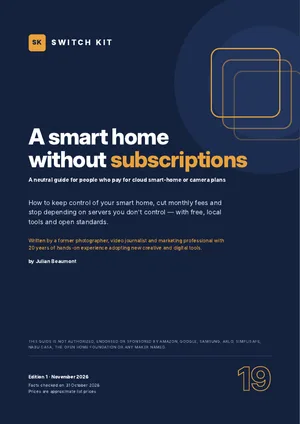
A smart home without subscriptions: local control that keeps working
When a smart device depends on a company's servers, that company decides how long it works and what it costs. This guide shows the local alternative, its costs and its limits.
Short answer
Choose devices that work locally through open standards (Matter, Thread, Zigbee) and run them from a local hub such as Home Assistant. A ready-made Home Assistant Green costs about €179 one-off; add a Zigbee or Thread adapter for about €45. Cameras can record locally to a memory card or home recorder.
What to know before you switch
- Cloud shutdowns happen: support for early Nest Learning Thermostats ended on 25 October 2025.
- Home Assistant is free software; Home Assistant Green hardware costs about US$199 / €179.
- A Connect ZBT-2 adapter (about €45) adds Zigbee or Thread.
- Matter devices can be controlled locally from several ecosystems at once.
- Cameras with local storage avoid monthly cloud plans; check privacy rules before filming beyond your property.
Facts checked on 31 October 2026. Prices and versions change; check the official sites.
Is it right for you?
A good fit if…
- You pay monthly for cameras or smart-home features.
- You have been hit by an app or cloud shutdown.
- You enjoy a little setup.
Better to wait if…
- You want zero setup and full professional monitoring.
- Nobody at home wants to look after a hub.
How to move to a local smart home in five steps
- List your devices and feesNote which devices depend on a cloud and what you pay each month.
- Pick a local hubHome Assistant Green is the simplest ready-made start.
- Add the radios you needA Zigbee or Thread adapter, only if your devices use them.
- Move devices acrossOne room at a time, keeping the old app until each works locally.
- End the subscriptionsCancel cloud plans once local control and recording work.
The guide expands each step with checklists and a dated plan.
Inside the guide
Why devices stop working when a cloud closes · what you pay today · local versus cloud · a self-assessment · Matter, Thread, Zigbee and Z-Wave decoded · Home Assistant in brief · choosing hardware · setting up step by step · your first automations · cameras without a subscription · voice control, locally · other hubs · moving your devices across · privacy, security and the law · does it pay off? · ending your subscriptions · a one-month plan · a glossary · a printable checklist.
Printable A4 PDF in English · instant download · checklists you can tick · written by Julian Beaumont, 20 years of hands-on experience with creative and digital tools.
€9PDF, VAT included
Get the guide · €9Frequently asked questions
Can a smart home work without the internet?
Yes, if devices use local standards like Matter, Thread or Zigbee and a local hub such as Home Assistant.
How much does Home Assistant cost?
The software is free. Home Assistant Green hardware costs about €179, plus about €45 for a Zigbee or Thread adapter.
Can I use security cameras without a subscription?
Yes, with cameras that record to a memory card or a home recorder. Check features and privacy rules first.
What is Matter?
An open smart-home standard that lets devices work across ecosystems and be controlled locally.
Do I need Zigbee or Thread?
Only for devices that use them. A small USB adapter such as the Connect ZBT-2 adds one of the two to Home Assistant.
Can I keep using Alexa or Google voice control?
Often yes, alongside local control. The guide also covers local voice options.